Technology has made life easier in so many ways. We can shop online, pay bills from our phones, work remotely, stay connected with family, and even manage our health with a few taps on a screen. But while technology brings convenience, it also opens the door to cyber threats that can affect anyone — not just big companies or tech experts.
The good news? You do not need to be a computer genius to protect yourself online. Learning a few cybersecurity basics can dramatically reduce your risk of identity theft, scams, hacked accounts, and financial loss. Think of cybersecurity like locking the doors and windows of your digital life.
Here are the essential cybersecurity basics every non-tech woman should know to stay safer online.
Why Cybersecurity Matters
Many people assume hackers only target wealthy people, celebrities, or businesses. In reality, cybercriminals often target everyday people because they are easier to trick. Scammers know many people reuse passwords, click suspicious links, or overshare information online.
Your email account, social media profiles, banking apps, shopping accounts, and even your phone contain valuable personal information. Cybercriminals can use stolen data to:
- • Drain bank accounts
- • Open credit cards in your name
- • Steal your identity
- • Scam your friends and family
- • Access personal photos or messages
- • Lock you out of important accounts
According to the Federal Trade Commission (FTC), using strong passwords, enabling multi-factor authentication, updating software, and recognizing phishing scams are some of the most effective ways to protect yourself online.
The best part is that most cybersecurity basics are simple once you understand them.
Create Strong Passwords
Passwords are your first line of defense. Unfortunately, many people still use weak passwords like:
- • password123
- • qwerty
- • birthdays
- • pet names
- • children’s names
Hackers use automated tools that can guess weak passwords in seconds.
Security experts recommend using long, unique passwords for every account. The FTC recommends using passwords or passphrases with at least 15 characters whenever possible.
A Better Way to Create Passwords
Instead of trying to remember random symbols, use a passphrase made of unrelated words.
Examples:
- • PurpleCoffeeRiverMoon!
- • LemonWindowTigerDance22
These are easier to remember and much harder to crack.
Never Reuse Passwords
This is one of the biggest mistakes people make.
If you use the same password across multiple accounts, and one site gets hacked, criminals can try it on the other accounts. This is called “credential stuffing.”
Every important account should have its own password, especially:
- • Banking
- • Shopping sites
- • Social media
- • Medical portals
Use a Password Manager
Remembering dozens of passwords sounds impossible, which is why password managers can be incredibly helpful.
A password manager securely stores your passwords and can even generate strong passwords for you. Then you only need to remember one master password.
Popular password managers include:
- • 1Password
- • Bitwarden
- • Dashlane
- • NordPass
Even though password managers are generally considered safer than reusing passwords, it is still important to choose reputable providers and use a strong master password.
Think of a password manager as a digital vault with a lock.
Turn On Multi-Factor Authentication (MFA)
Multi-factor authentication, also called two-factor authentication or two-step verification, adds an extra layer of security to your accounts.
With MFA enabled, logging in requires:
1. Your password
2. A second verification step
That second step might be:
- • A text message code
- • Email message code
- • An authenticator app
- • Fingerprint recognition
- • Face recognition
This means that even if someone steals your password, they still cannot access your account without the second verification method. This is one of the most important cybersecurity basics to implement for your important accounts, including your email.
Prioritize MFA for Important Accounts
Always enable MFA on:
- • Email accounts
- • Bank accounts
- • Shopping sites
- • Social media
- • Cloud storage
- • Health apps
Your email account is especially important because it can often reset passwords for your other accounts.
MFA may seem like a nuisance, but it is worth the extra step. MFA provides greater security and is worth the extra time to keep cybercriminals from accessing your data.
Learn to Spot Phishing Scams
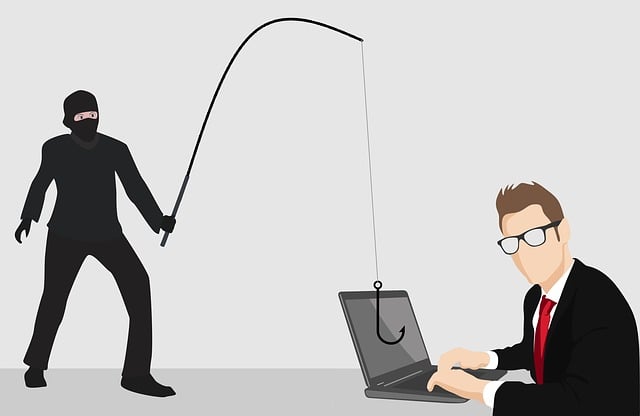
Phishing scams are one of the most common online threats today.
A phishing scam occurs when criminals impersonate trusted companies or individuals to trick you into revealing information.
You may receive:
- • Fake emails from Amazon or another trusted company
- • Texts pretending to be your bank
- • Text or email messages claiming your account was locked
- • Fake package delivery notices
- • Social media messages asking for help
These scams are designed to create panic and urgency.
Red Flags of a Phishing Scam
Watch for:
- • Poor spelling or grammar
- • Urgent warnings
- • Requests for passwords
- • Suspicious links
- • Unexpected attachments
- • Email addresses that look strange
Scammers often impersonate trusted organizations like banks, delivery services, or government agencies. With the use of AI, scammers have become more sophisticated. They even use logos from the companies they are impersonating. One way to know if an email is legit is to check the email address it’s coming from.
What to Do Instead
If you receive a suspicious message:
- • Do not click links (either in emails or text messages)
- • Do not open attachments
- • Visit the company website directly
- • Call your bank directly and verify
- • Call the company using an official number
- • Delete suspicious texts and emails
When in doubt, pause before clicking. If it sounds too good to be true, it probably isn’t true.
Stop Spam Calls
One way to reduce unwanted calls is to silence your phone for numbers not in your contacts. On iPhone, go to Settings > Phone > toggle on “Silence Unknown Callers”. On Android, open the Phone app > Settings > Block Numbers > toggle on “Block calls from unknown numbers” or use Do Not Disturb.
If you receive a call from an unknown number, you can try identifying the caller by using the Happy Hour Search feature at National Cellular Directory Happy Hour Search. Simply enter the phone number into the search box during the free search hours listed on the website. The directory may provide information such as the caller’s name, city, state, and wireless carrier. This can help you determine whether the caller is a legitimate person, a business, or a possible spam caller before deciding whether to call back.
Keep Your Devices Updated
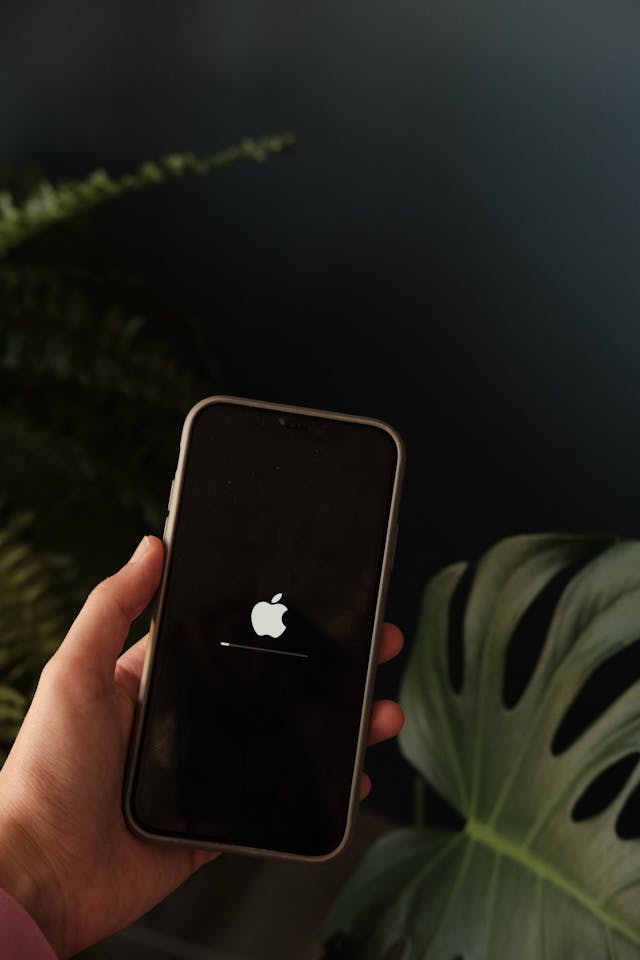
Software updates may seem annoying, but they are extremely important.
Updates often contain security patches that fix vulnerabilities hackers exploit. Cybercriminals actively look for outdated devices because they are easier to attack.
This includes updating:
- • Phones
- • Laptops
- • Tablets
- • Browsers
- • Apps
- • Antivirus software
Turn On Automatic Updates
The easiest solution is enabling automatic updates whenever possible. That way, your devices stay protected without you needing to remember.
Secure Your Home Wi-Fi
Your Wi-Fi network connects nearly everything in your home:
- • Phones
- • Smart TVs
- • Laptops
- • Security cameras
- • Tablets
- • Smart speakers
An unsecured network can become an easy entry point for hackers.
Easy Ways to Improve Wi-Fi Security
- • Change the default router password
- • Use WPA2 or WPA3 encryption
- • Create a strong Wi-Fi password
- • Keep your router updated
- • Avoid using public Wi-Fi for banking
The FTC recommends securing your home Wi-Fi network because malware can spread between connected devices.
Be Careful What You Share Online
Social media is fun, but oversharing can give scammers useful information.
Details like:
- • Birthdays
- • Pet names
- • Schools
- • Vacation plans
- • Phone numbers
- • Home addresses
can all be used for scams, password guessing, or identity theft.
Think Before Posting
Before sharing something publicly, ask yourself:
“Would I want a stranger to know this?”
Also, remember that quizzes and games asking personal questions may collect information used for security questions.
Back Up Important Files
Imagine losing:
- • Family photos
- • Important documents
- • Tax records
- • Business files
Ransomware attacks can lock users out of their own files until they pay money to criminals.
Regular backups help protect your data if your device crashes, gets stolen, or becomes infected with malware.
Good Backup Options
- • External hard drives
- • Cloud storage
- • Automatic backup services
Try to back up important information regularly.
Watch Out for Public Wi-Fi
Free Wi-Fi at coffee shops, airports, hotels, and stores may be convenient, but public networks can be risky.
Hackers sometimes create fake Wi-Fi hotspots or spy on unsecured networks.
Avoid Doing These on Public Wi-Fi
- • Online banking
- • Shopping with credit cards
- • Accessing sensitive accounts
- • Sending personal documents
If you must use public Wi-Fi, consider using a VPN (Virtual Private Network) to encrypt your connection.
According to CNET, some of the top VPN service providers include NordVPN (best overall), ExpressVPN (best speed), and Surfshark (best value/unlimited devices). Other top-tier choices include Proton VPN (privacy-focused) and IPVanish. These services offer encrypted internet connections, IP address hiding, and secure access to global content.
Protect Yourself from Identity Theft
Identity theft can happen quietly. Someone may use your information for months before you realize it.
Warning signs include:
- • Strange bank charges
- • Missing bills
- • Unfamiliar accounts on your credit report
- • Debt collection calls
- • Tax return issues
Smart Identity Protection Habits
- • Monitor bank accounts regularly
- • Review credit reports
- • Set account alerts
- • Use MFA
- • Freeze your credit if needed
- • Shred sensitive paperwork
Experts increasingly recommend credit freezes as an added protection against fraudulent accounts being opened in your name.
To freeze your credit for free, you must contact each of the three major credit bureaus individually: Equifax, Experian, and TransUnion. The fastest way is online, but you can also do it via phone or mail.
Credit Bureau Contact Information:
- • Equifax: 1-888-298-0045 or equifax.com
- • Experian: 1-888-397-3742 or experian.com
- • TransUnion: 1-800-916-8800 or transunion.com
Key Things to Know:
- • Free & Permanent: Freezes are free and last until you lift them.
- • Individual Action: You must contact all three, as they do not share your request.
- • Information Needed: Be prepared to provide your name, address, date of birth, and Social Security number.
- • Security PIN: You may receive a PIN or password to lift the freeze later; keep this safe.
Note: A credit freeze does not prevent you from using your existing credit cards or stopping thieves from stealing your existing accounts—it only stops new accounts from being opened in your name.
Trust Your Instincts
One of the best cybersecurity tools is simply slowing down.
Scammers rely on panic, fear, and urgency. They want people to react emotionally before thinking clearly.
If something feels off:
- • Pause
- • Verify
- • Double-check
- • Ask questions
There is nothing wrong with being cautious online.
Teach Your Family These Habits Too
Cybersecurity is not just for adults. Children, teens, and older relatives are frequently targeted by scammers.
Teach loved ones:
- • Not to click suspicious links
- • Never share passwords
- • How to identify scams
- • Why updates matter
- • How to create strong passwords
Good digital habits help protect everyone. Share these cybersecurity basics with your family and friends.
Final Thoughts
Cybersecurity doesn’t have to feel intimidating when you follow these basics. You do not need to understand coding, hacking, or complicated technology to protect yourself online.
Small habits make a huge difference:
- • Use strong passwords
- • Turn on multi-factor authentication
- • Avoid suspicious links
- • Update devices regularly
- • Protect personal information
- • Back up important files
Think of cybersecurity as self-care for your digital life. Just like locking your front door or wearing a seatbelt, online safety becomes easier the more you practice it.
The internet can be an amazing place for learning, connection, business, and entertainment. With a little awareness and a few smart habits, you can enjoy the benefits of technology while greatly reducing your risk of cybercrime by following these cybersecurity basics.